
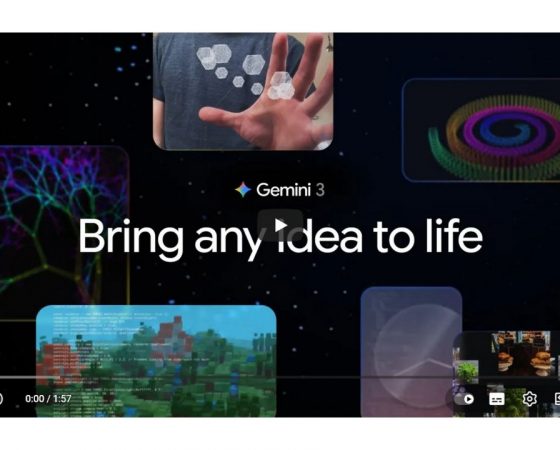
Gemini 3 is Google’s most powerful AI model to date and is available in Google AI Studio at https://aistudio.google.com/models/gemini-3, making it an ideal choice for anyone building AI-powered products, services and innovations. Combined with IDEASCANNER, organisations can not only prototype faster, but also assess whether the underlying business idea is truly worth pursuing – before committing to costly development and scaling.
What is Gemini 3?
Gemini 3 is the new model generation from Google DeepMind and is positioned as a model to “help with anything”: learning, building and planning – from the first idea to a finished AI product. It unifies cutting-edge text, image, audio, video and code processing in a single multimodal model and sets new benchmarks in understanding, reasoning and interaction.
The first available variant, Gemini 3 Pro, is integrated into Google AI Studio, Vertex AI, the Gemini API and other developer tools, and is optimised for demanding reasoning, coding and agent workflows. In addition, Google introduces “Gemini 3 Deep Think”, a mode designed for particularly complex tasks such as scientific questions or strategic planning.
Key features in AI Studio
In Google AI Studio, users can try out Gemini 3 Pro directly in the browser, iterate on prompts, use templates and export ready-made setups into their own applications. For developers, product teams and innovators this significantly accelerates the journey from an idea to a working prototype, including front end, logic and API integrations.
Gemini 3’s strengths in AI Studio include advanced vibe coding for UI/UX, agentic workflows for multi-step automation and a context window of up to one million tokens – ideal for long documents, research material or complex multimodal data. Moreover, Gemini 3 Pro Image enables the generation and editing of images with improved text and diagram rendering, for example for infographics, product visuals or learning content.
Gemini 3 vs predecessors and peers
| Aspect | Gemini 2.5 / earlier models | Gemini 3 Pro | Typical frontier models* |
|---|---|---|---|
| Multimodality | Text, image, code, partly separated | Unified architecture for text, image, audio, video, code | Often separate pipelines per modality |
| Context window | Up to approx. 1M tokens in 2.5 Pro | 1M tokens with improved utilisation | Typically 200k–1M, often with constraints |
| Reasoning / Deep Think | Strong, but no Deep Think mode | “Deep Think” for complex step-by-step reasoning | Some specialised “slow thinking” modes |
| Agentic & tool use | Good tool use | Stronger agents and tool control, e.g. terminal, browser, IDE | Growing focus with varying maturity |
| Coding & vibe coding | Solid coding assistance | Leading WebDev Arena scores, strong vibe coding and SWE-bench results | Varies widely, often without vibe focus |
*Generic positioning based on published benchmarks and market reports.
In practice, this makes Gemini 3 particularly suitable for applications with multiple media types, demanding workflows and long contexts – such as interactive learning platforms, complex dashboards, dynamic knowledge assistants or AI-driven product configurators.
“Learn, Build, Plan Anything” in action
Google clearly positions Gemini 3 around the use cases “Learn anything”, “Build anything” and “Plan anything”, each with a strong multimodal focus. Examples span from analysing scientific papers including interactive visualisations and evaluating sports videos with personalised training plans to translating handwritten family recipes into structured cookbooks.
In an enterprise context, teams can use Gemini 3 to turn internal knowledge assets (documents, presentations, videos) into training and onboarding materials or to simulate complex project and investment plans with real-time data. Through integration into Google Search and AI Mode, new interactive research interfaces emerge that make expertise more accessible – for instance via visual layouts, simulations or infographics generated directly from a query.
Why combine Gemini 3 with IDEASCANNER?
Gemini 3 makes it easier than ever to build AI prototypes and digital products with state-of-the-art reasoning and multimodality – but technology alone does not guarantee a viable business model. This is where IDEASCANNER comes in: Using a structured scan approach, it systematically evaluates business ideas and existing models, identifies scalable levers and reveals innovation potential – before capital is poured into expensive AI development.
Anyone using Gemini 3 in Google AI Studio to create new applications should scan their idea in parallel: Where is the real customer value, how differentiated is the approach compared to competitors and how can AI be used to create measurable value rather than just another “feature”? IDEASCANNER helps answer exactly these questions in a data-driven way – turning Gemini 3 into a catalyst for the best ideas, not just the loudest ones.
Take action now
Use Gemini 3 in Google AI Studio to rapidly build powerful prototypes and AI services – and combine it with an IDEASCANNER to invest only in ideas that truly pay off. Book a call with IDEASCANNER today to scan your current or planned AI project and gain a solid decision basis for your strategy, product roadmap and investments.
Contact us for your customized business model analysis or book directly your first free online consultation.
Follow IDEASCANNER and let’s think smarter with AI together.
This post is also available in:
 Deutsch